Features
Monitoring built for clarity, not clutter
Dive into each capability — how time, activity, screenshots, sites, apps, and reports work together for remote teams and freelancers.
Jump to
Six ways Tracker keeps work visible
Pick a capability to scroll straight to the details.
Deep dive
Built for accurate timesheets and clear context
Each feature works alone or together — so you get the signal you need without drowning in noise.
Time Tracking
Start/stop a manual timer, or let the app track automatically in the background. Accurate hours without interrupting focus.
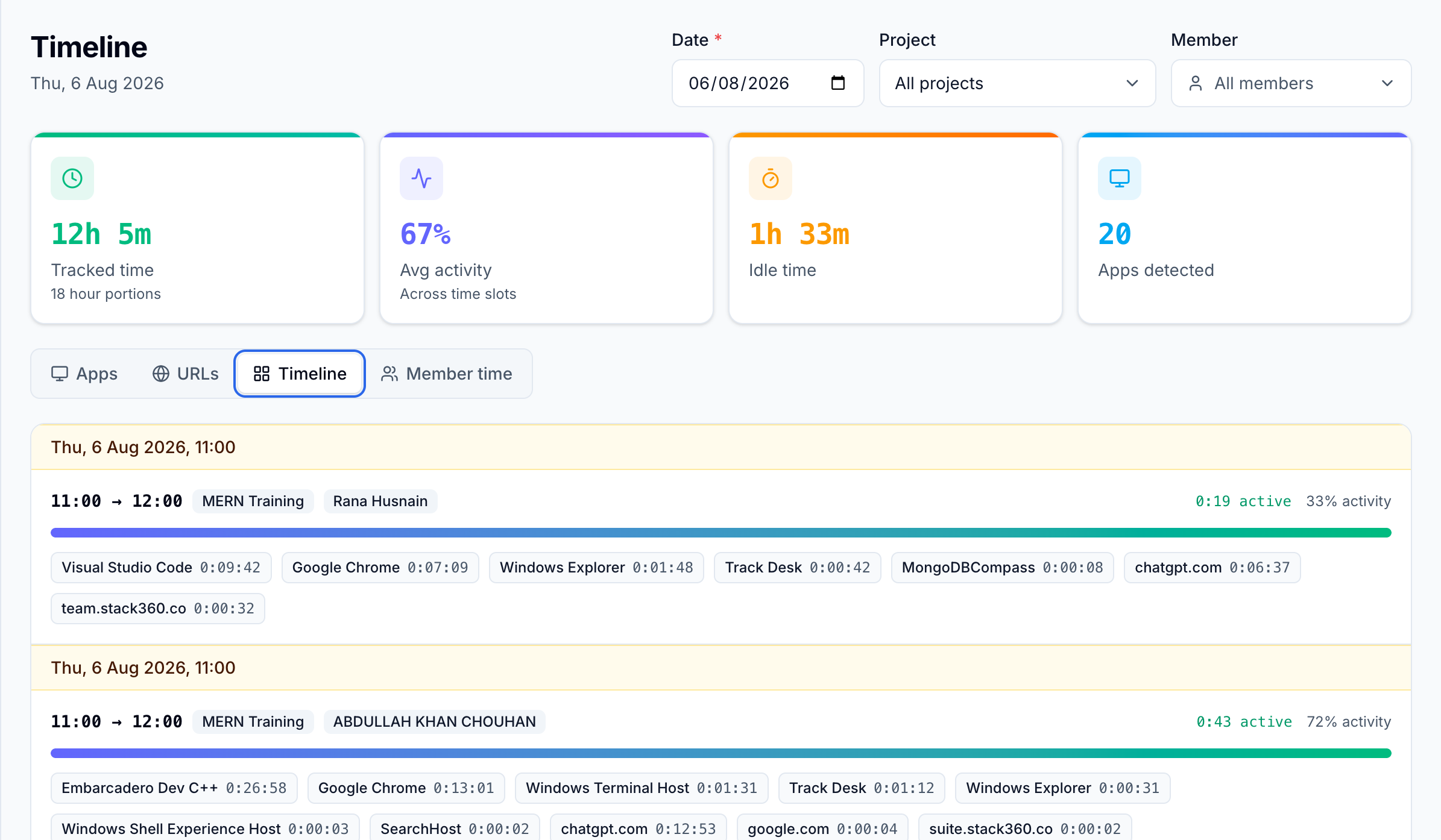
Activity Monitoring
See how active a user was during tracked time based on mouse and keyboard activity levels — context for managers without constant check-ins.
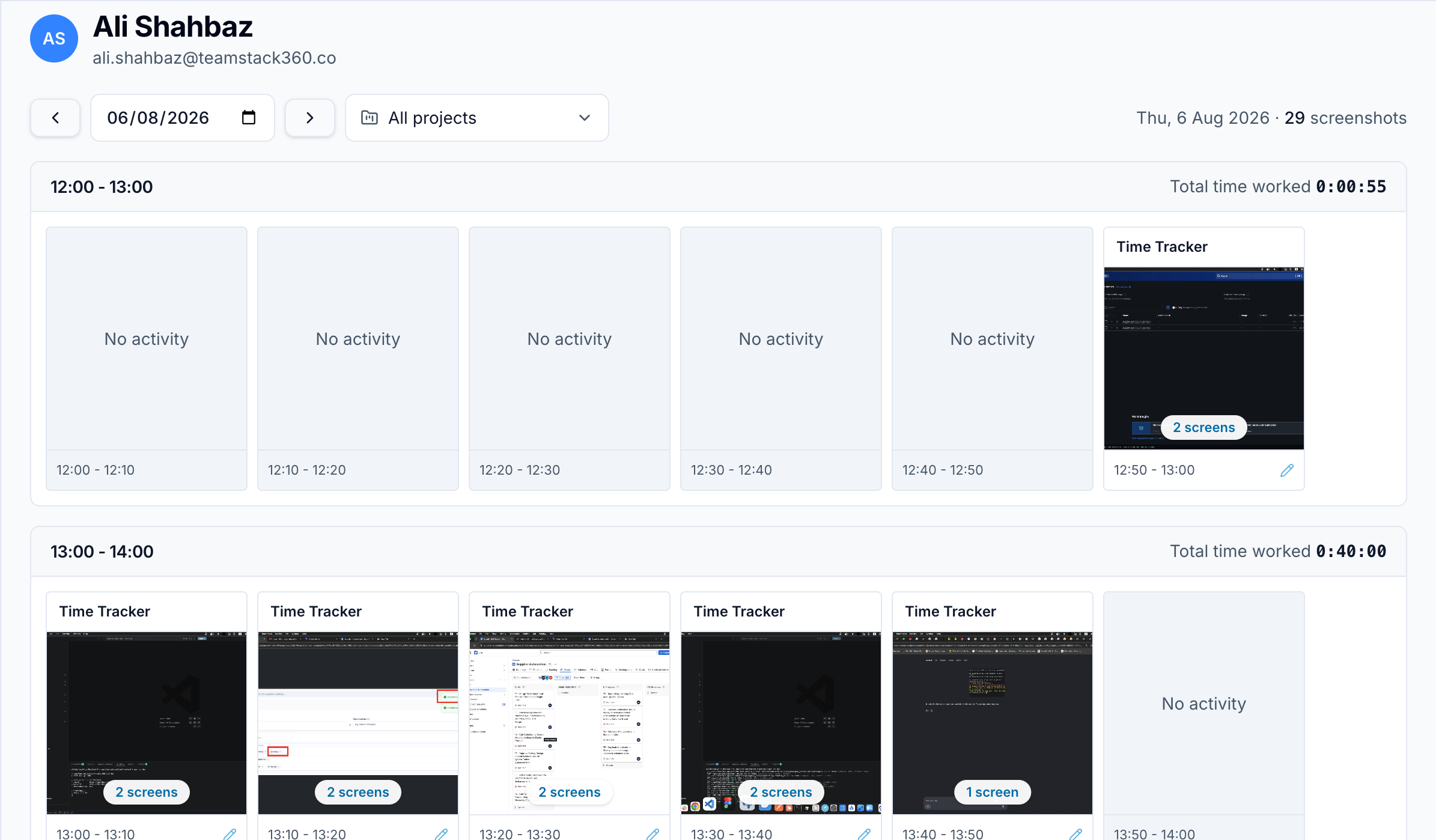
Screenshots
Periodic screenshots captured during tracked time give a visual record of work. Capture stays optional, with privacy-friendly controls.
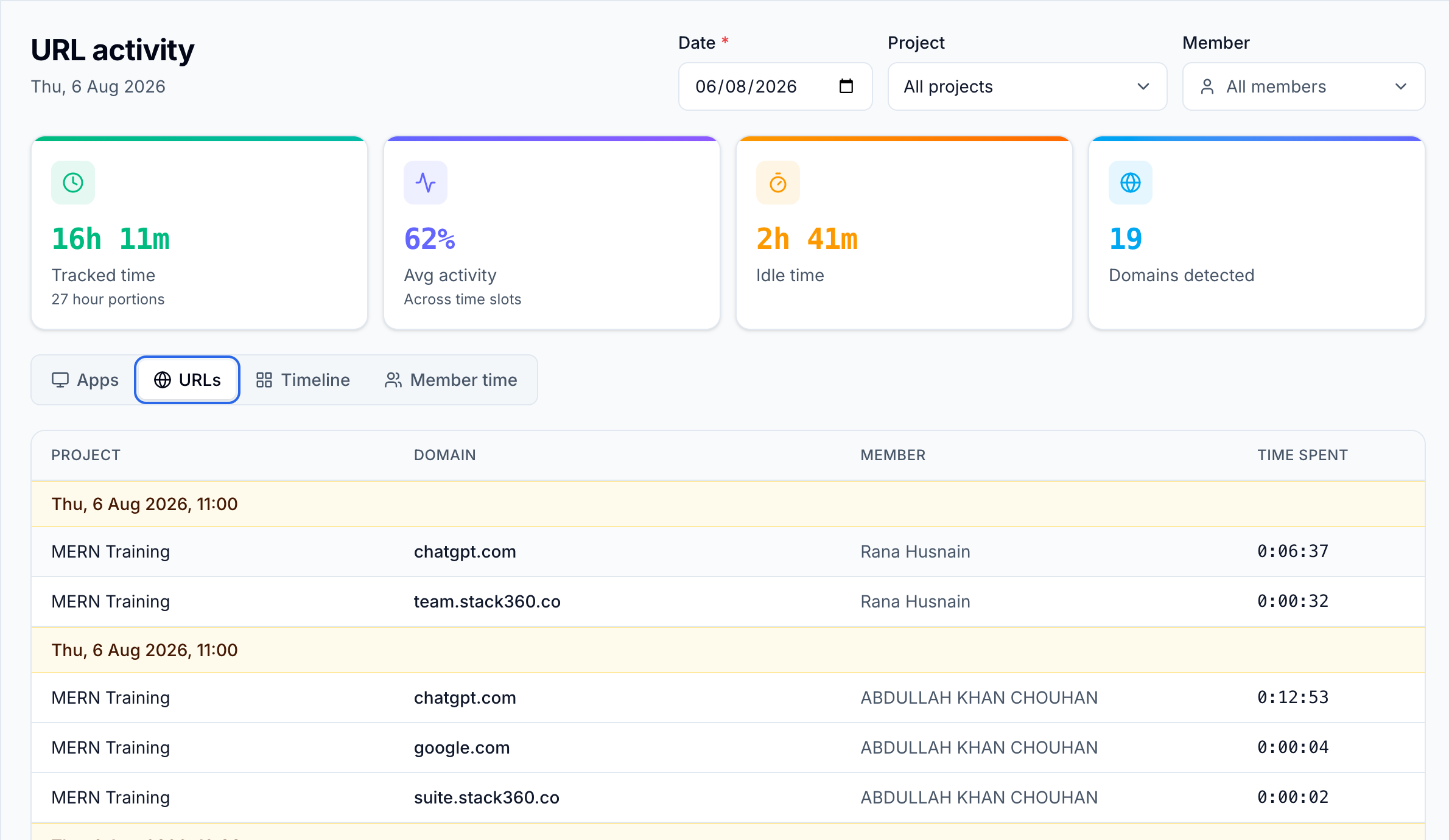
Website & Browser Monitoring
Track which websites were visited and how much time was spent on each, including Chrome activity — useful context for productive vs neutral browsing.
Reports
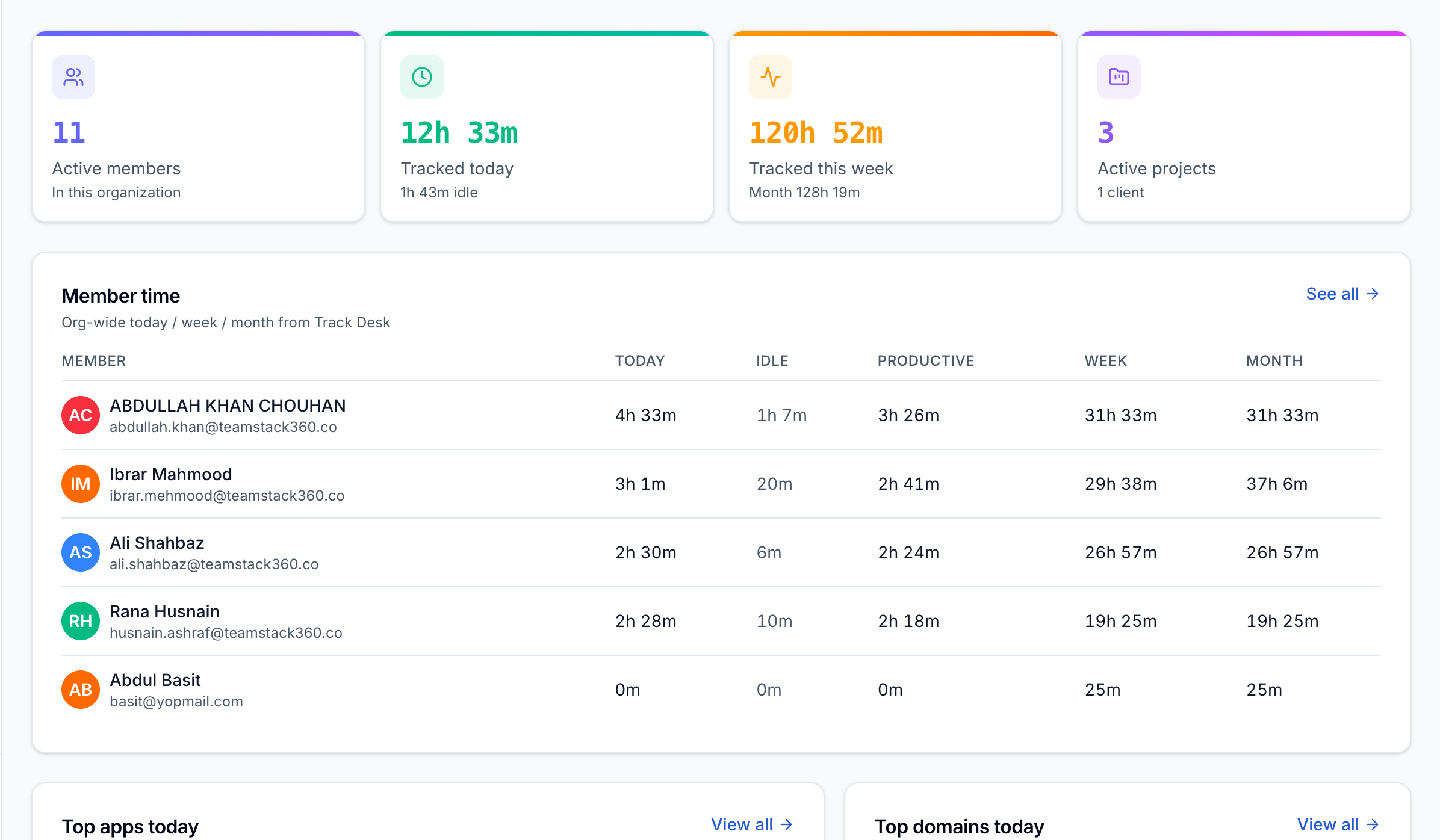
Daily and weekly summaries of hours tracked, activity levels, and site/app usage — export-ready clarity for clients, payroll, and planning.
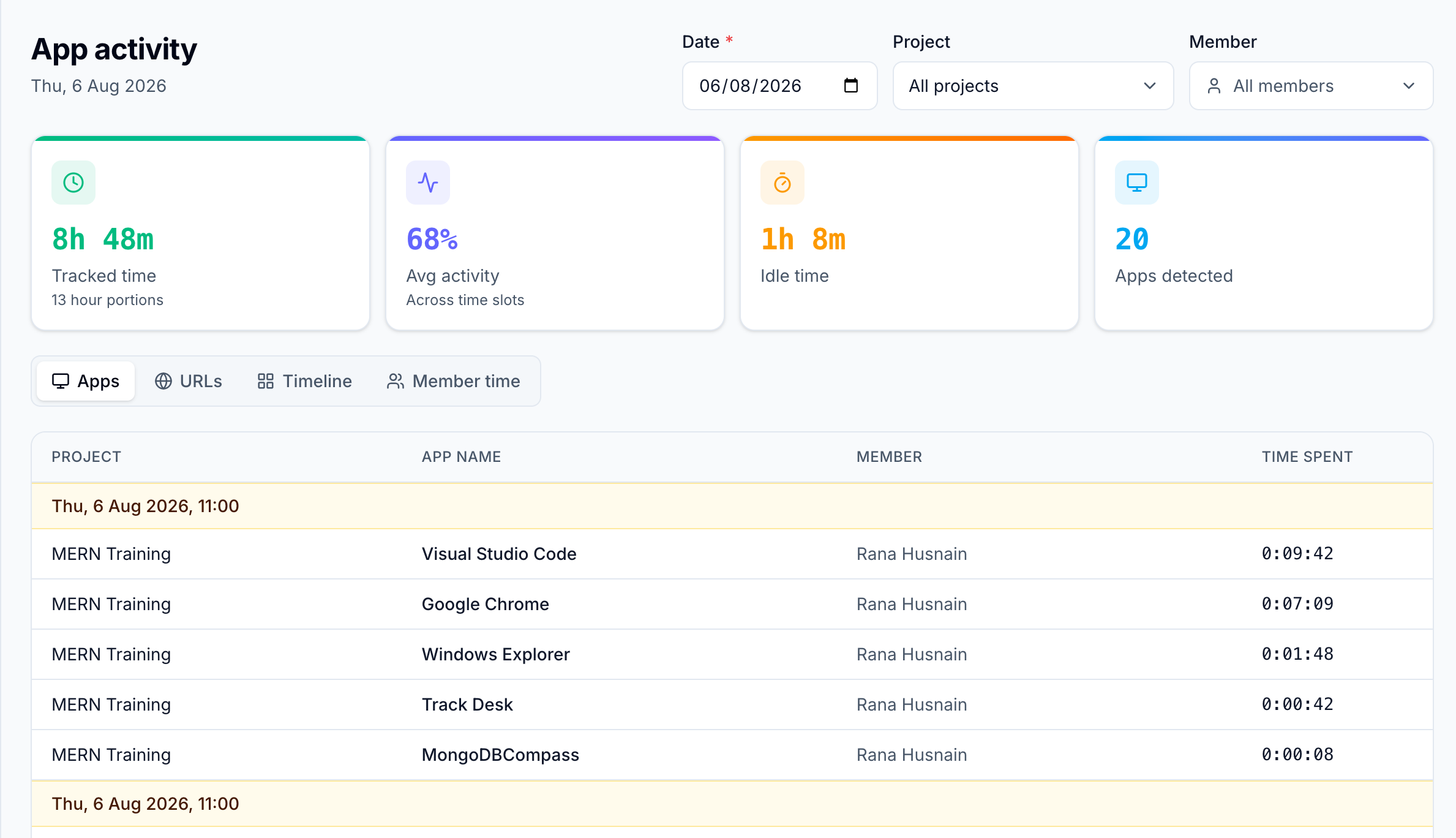
App usage tracking
See which desktop apps consumed the day so teams can spot deep work versus distraction at a glance.
Ready to try Tracker?
Create a free account and see these features in your own workspace.