Tracker
Track time and productivity, effortlessly
Automatic time, idle, app, and URL tracking with optional screenshots — built for remote teams and freelancers who need clarity without micromanagement.
Slide 1 of 6: Dashboard
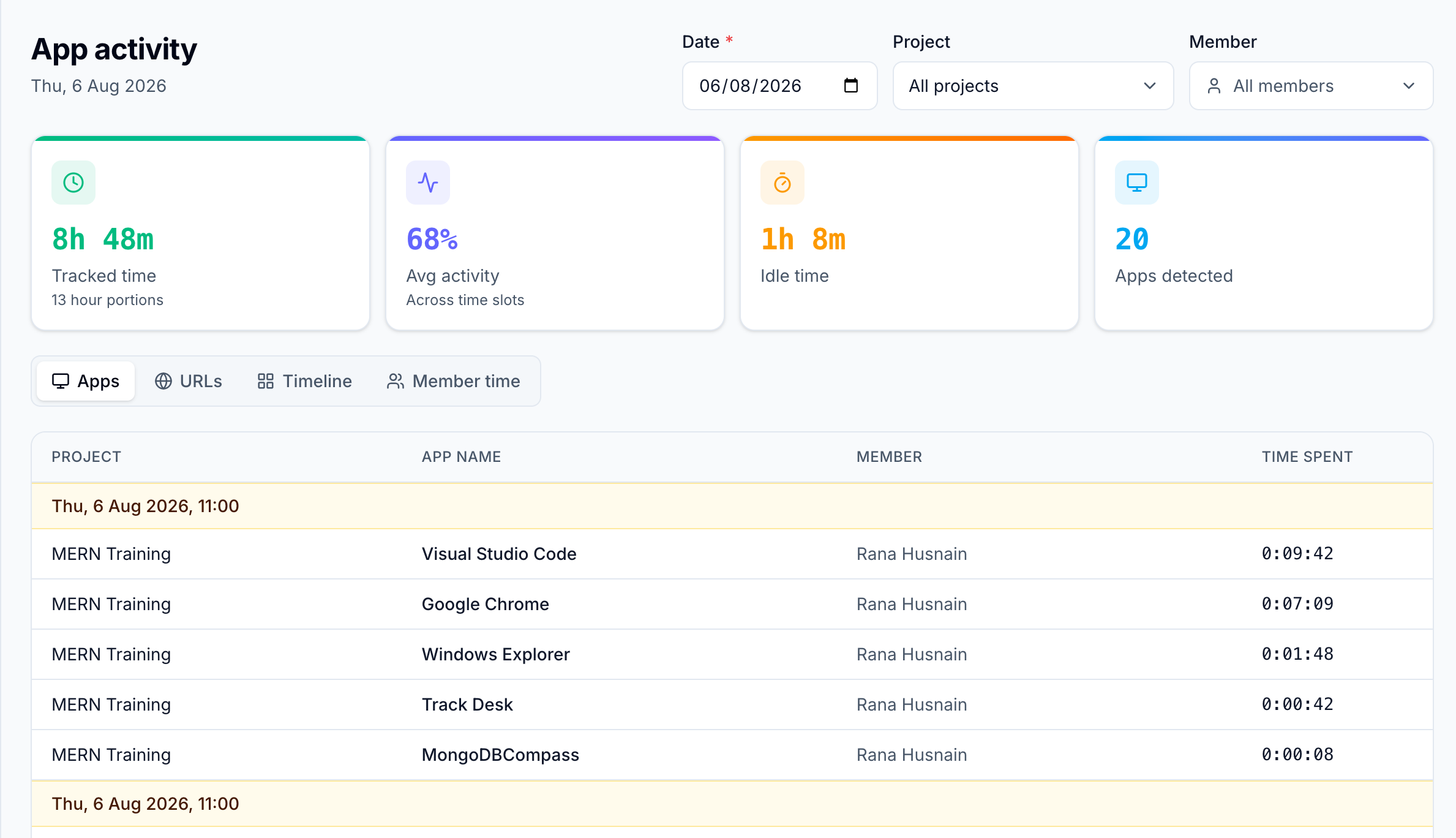
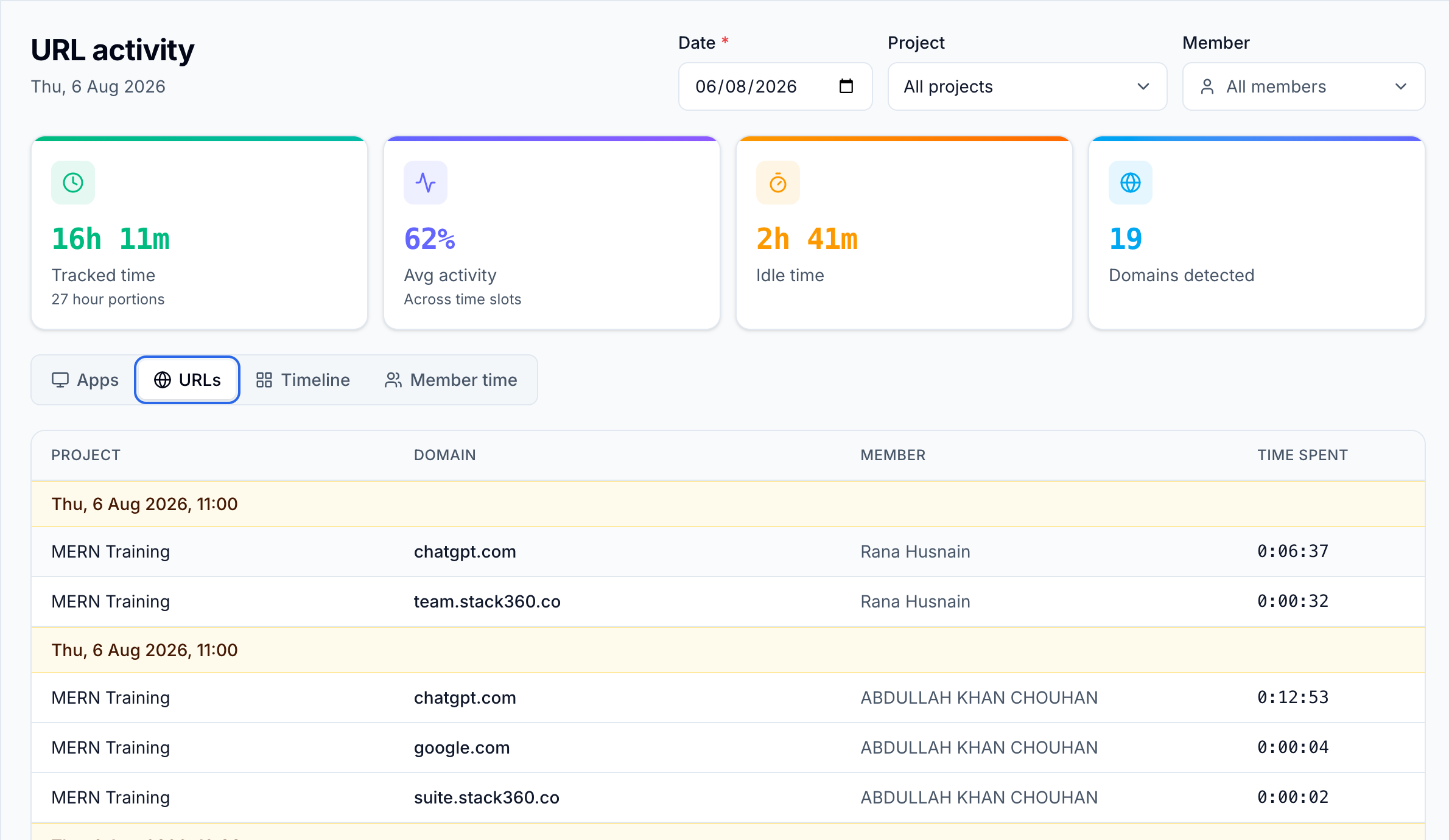
Time tracking & productivity metrics trusted by teams worldwide


Capabilities
Capabilities that keep work visible
A quick look at what Tracker monitors — open any item for the full story.
Time TrackingAutomatic clocking with manual override when you need it.Activity MonitoringMouse and keyboard signals to spot idle stretches.ScreenshotsOptional visual proof, toggled per team or project.Website & Browser MonitoringSee which sites and tabs work actually happened in.ReportsDaily and weekly summaries built from raw activity.App usage trackingA breakdown of where focus went, app by app.
Who it's for
Built for how modern teams actually work
Whether you bill by the hour or manage a distributed crew, Tracker fits the way you operate.
Freelancers
Capture billable hours automatically and share clean reports with clients — without rebuilding timesheets every Friday.
Agencies
See project burn, activity, and app context across teams so scope stays honest and delivery stays on track.
Remote teams
Get operational visibility without micromanagement theater — optional screenshots and clear idle signals.
Product
A clear dashboard for every hour
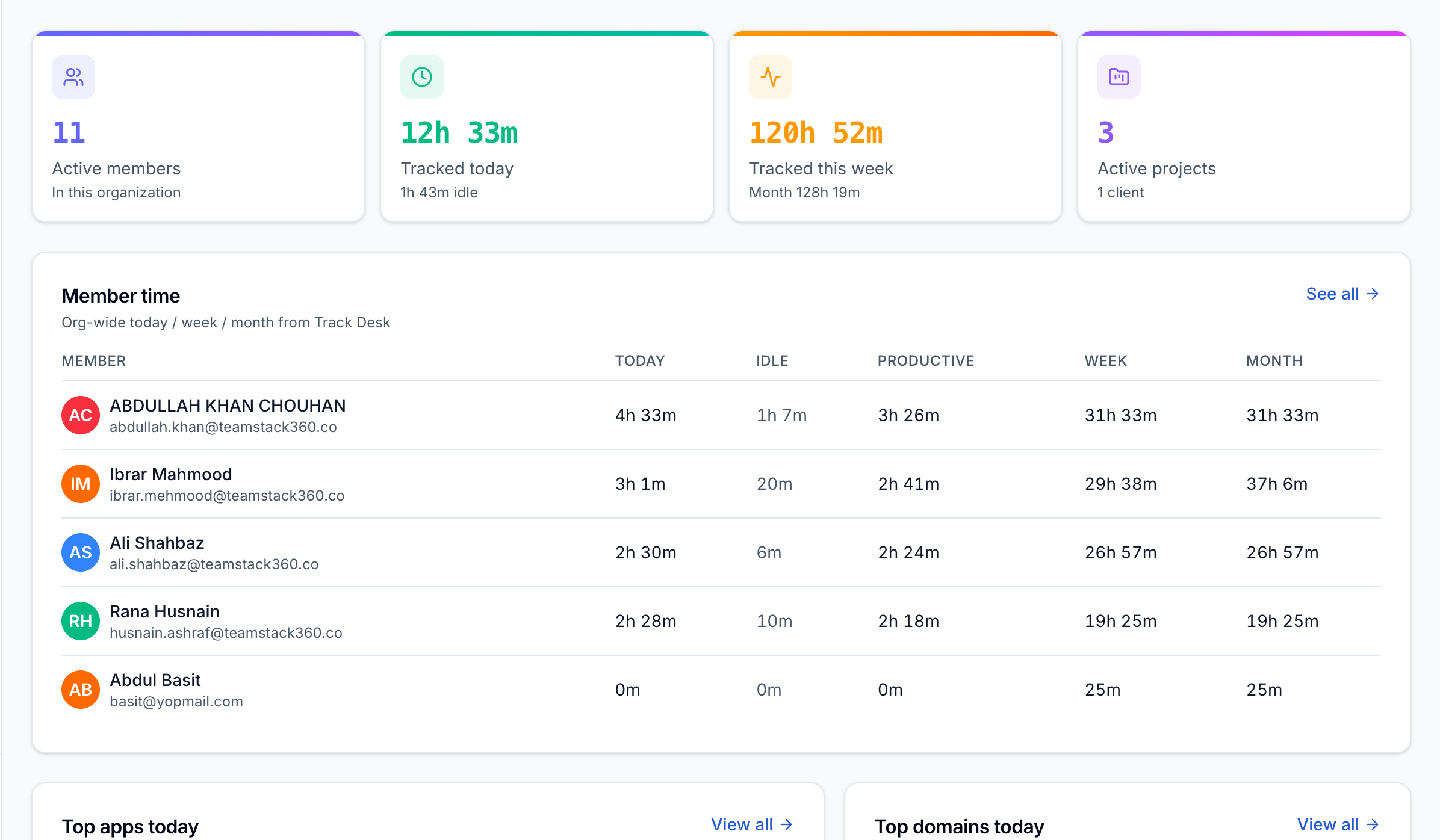
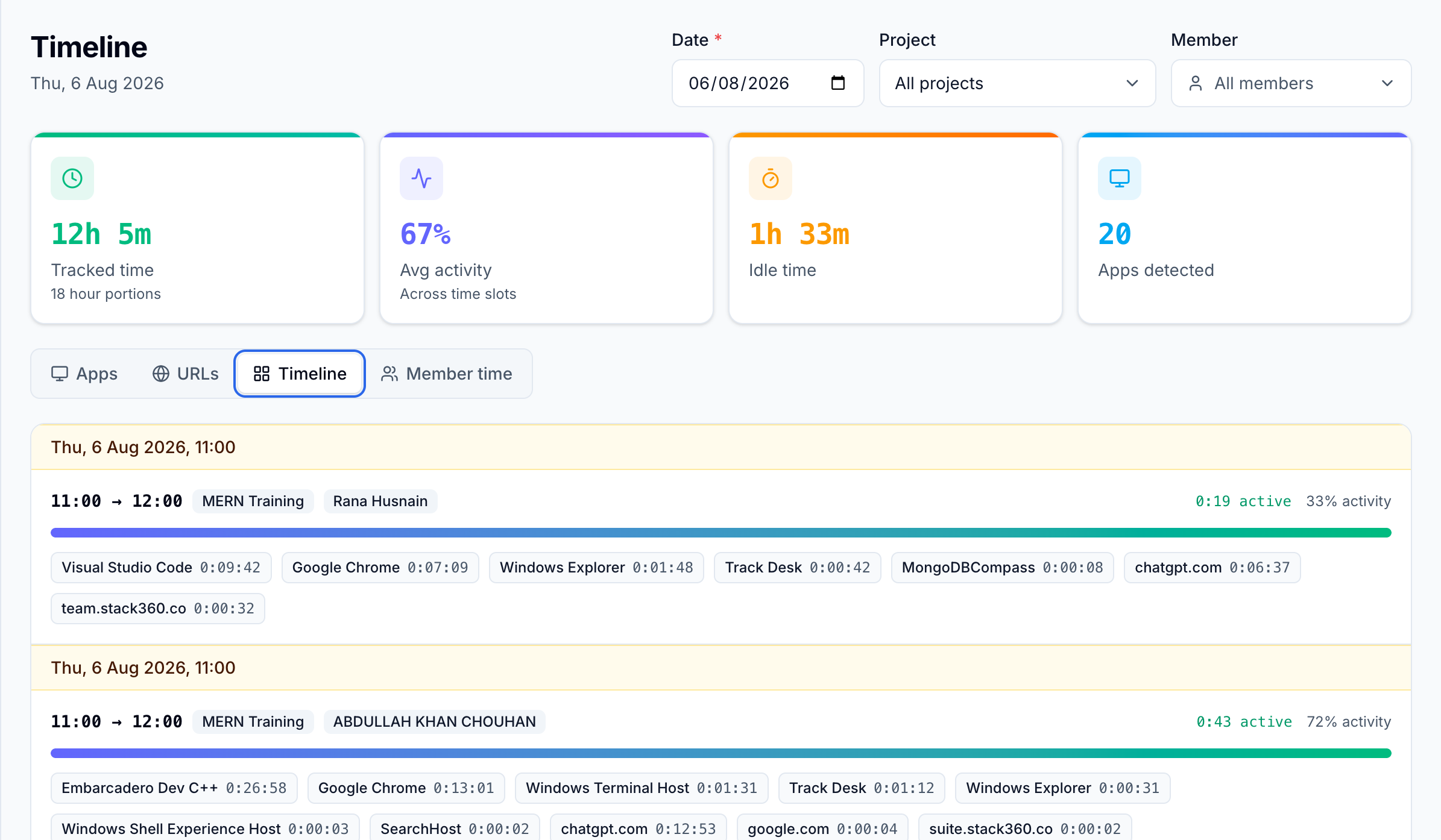
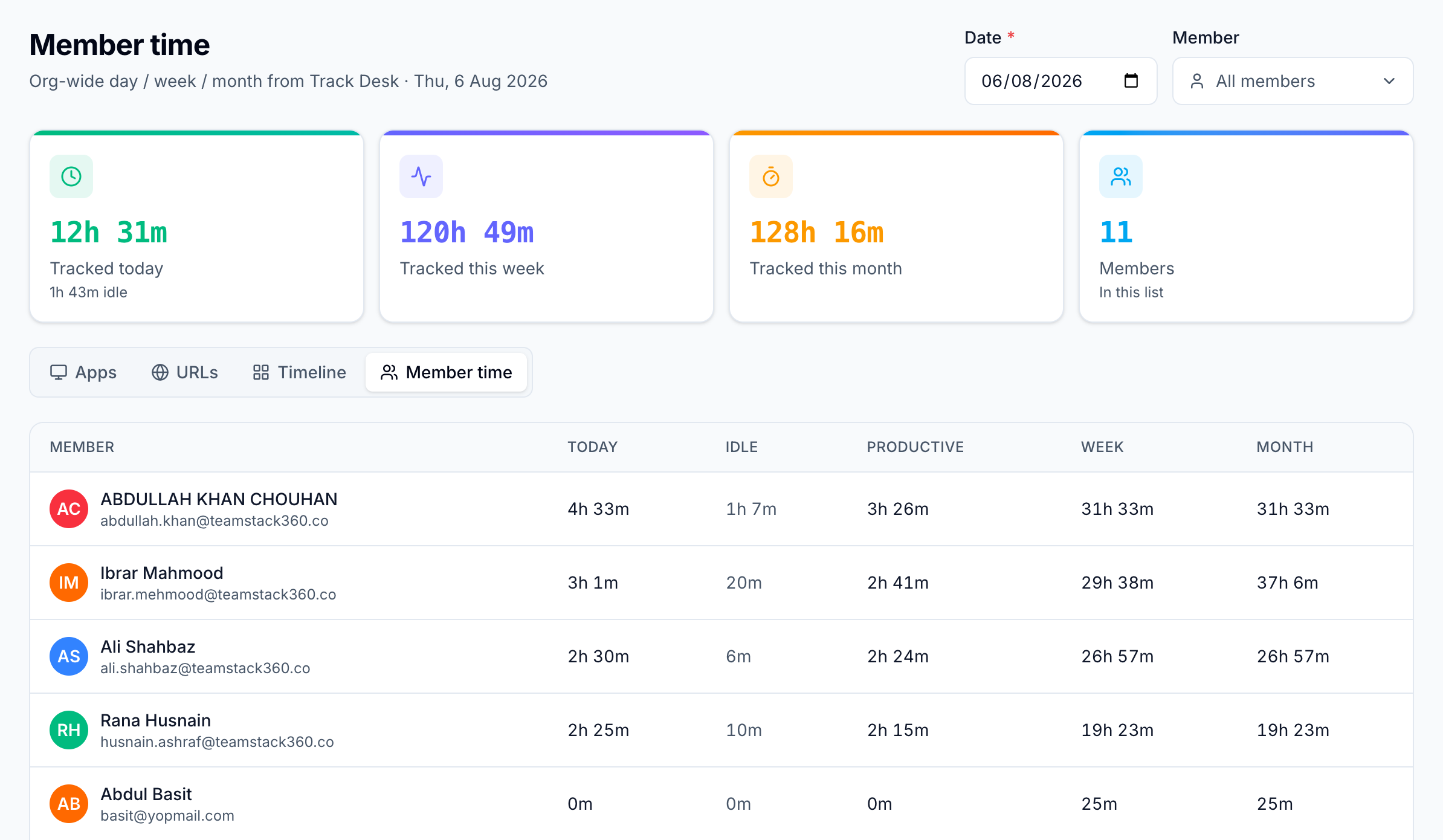
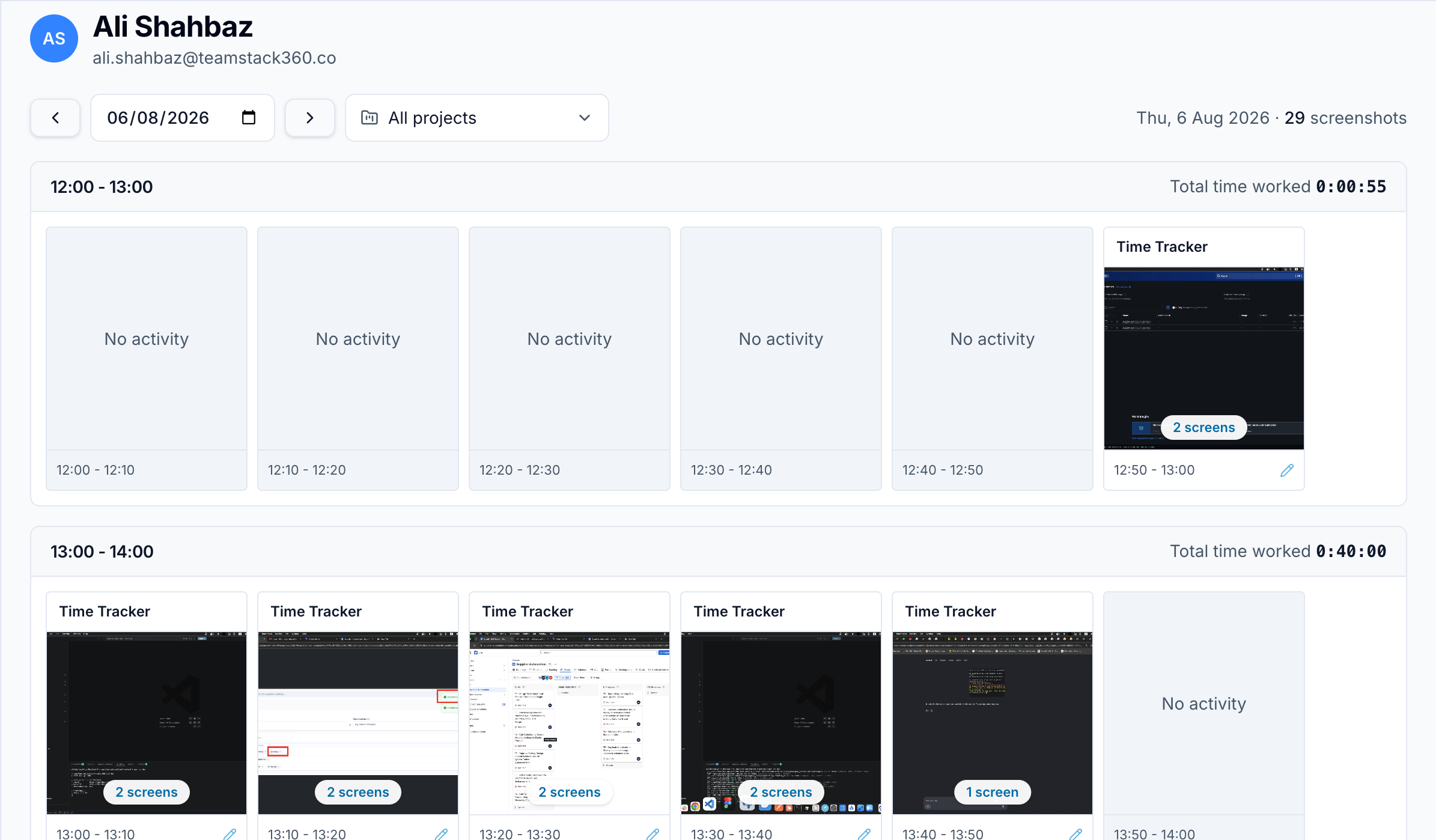
See timers, activity, apps, and URLs in one calm operational view.
Outcomes
Less chase. Clearer hours. Better decisions.
Tracker is not another feature checklist — it is the quiet system behind accurate timesheets and trusted remote work.
01
Accurate timesheets
Background tracking and idle detection keep hours honest so payroll and invoices match real work.
02
Less status chasing
Managers see activity and context in one place instead of pinging people for updates all day.
03
Clearer decisions
Daily and weekly reports turn raw tracking into signals you can act on — budgets, focus, and capacity.
How it works
See how Tracker works in 90 seconds
Watch a quick walkthrough of automatic tracking, idle detection, screenshots, and live dashboards.
- One-click timer or fully automatic background tracking
- Idle detection that protects accurate timesheets
- Optional screenshots with privacy controls
- App and URL history for clear productivity context
Privacy first
Visibility without surveillance theater
Screenshots are optional
Turn capture off per team or project. People stay in control of what gets recorded.
Built for remote trust
Activity and idle signals support outcomes — not micromanagement theater.
Cross-platform by default
Native desktop coverage for Windows, Mac, and Linux so hybrid teams stay aligned.
Start tracking with clarity today
Download the desktop app or sign up free — Windows, Mac, and Linux ready.